
To find award flight availability, you combine two things: a third-party award search tool that scans multiple airline loyalty programs at once, and the airline’s own website to confirm the seat before you transfer your points. The tool finds candidates fast, the airline page is the only source of truth. That division of labour is the whole method, and the rest of this guide is just how to run it well.
The reason people give up on points travel is not the search itself. It’s searching one date, on one airline, in one browser tab, refreshing every four minutes for an hour. A repeatable process beats that every time.
Table of Contents
- 1What You Need
- 2Step-by-Step: How to Find Award Flight Availability
- 3Define Your Route, Dates, and Cabin
- 4How to Find Award Flight Availability on Airline Sites
- 5Check Partner Airlines and Transfer Options
- 6Use Flexible-Date and Route Searches
- 7Set Alerts and Monitor Availability
- 8Verify, Compare, and Book
- 9Common Mistakes
- 10Frequently Asked Questions
- 11How do I check award flight availability across multiple airlines?
- 12Can I search award seats for flights that are not nonstop?
- 13Why does an airline award search show a flight that cannot be booked?
- 14How far in advance should I search for award flight availability?
- 15Should I use airline websites or third-party award search tools?
- 16How can I find award seats when my preferred dates are sold out?
What You Need

Most people who struggle with this are searching with the wrong setup. Before your first search, line up four things.
An account with the airline. Sign in on the airline’s own site, not just a third-party tool. Signed-in searches often surface award pricing and fare classes that a logged-out session hides, and you cannot complete a redemption without access to your loyalty account anyway.
At least one award search tool. Seats.aero, SeatSpy, PointsYeah, Roame, AwardTool and point.me all search several programs simultaneously. Pick one and learn it before adding a second. A tool you half-understand will make you book something the airline refuses to honour.
Your transferable point balances. Write down what you actually hold, from which programs, and which of those transfer to the airline you want to fly. Amex Membership Rewards, Chase Ultimate Rewards and bank programs like Bank of America Rewards are the usual starting points, and each has its own transfer time to every partner.
A clean browser and a written target. Private or incognito mode matters more than people expect, because cached award calendars are a real source of phantom results. And write down the route, the trip length, the cabin, and the maximum points per mile you will accept before you start clicking. Deciding your limits in advance is what stops you booking a 2.5 points-per-mile “deal” because it looked available.
Step-by-Step: How to Find Award Flight Availability
Define Your Route, Dates, and Cabin
Start with the constraint you cannot move, usually the dates, then work outward. Write the trip as one sentence: four or five nights in Lisbon, business class, departing from Madrid or Barcelona, departing between the 12th and the 19th, no more than one connection and no more than 14 hours door to door.
That single sentence does more work than it looks. It defines your search window, your airport list, your stop limit and your maximum total hours, so every tool result can be judged on the spot instead of being a maybe.
Set the points-per-mile ceiling too. Business class on a long-haul route commonly falls somewhere between 1.1 and 3 points per mile depending on the program and the fare class. Anything far above that range under dynamic pricing is a signal to look elsewhere, not to book immediately.
How to Find Award Flight Availability on Airline Sites
On the airline’s own website, look for a “book with miles” or “redeem miles” entry point rather than the default cash search. The cash calendar and the award calendar are frequently different screens, and award pricing is only exposed on one of them.
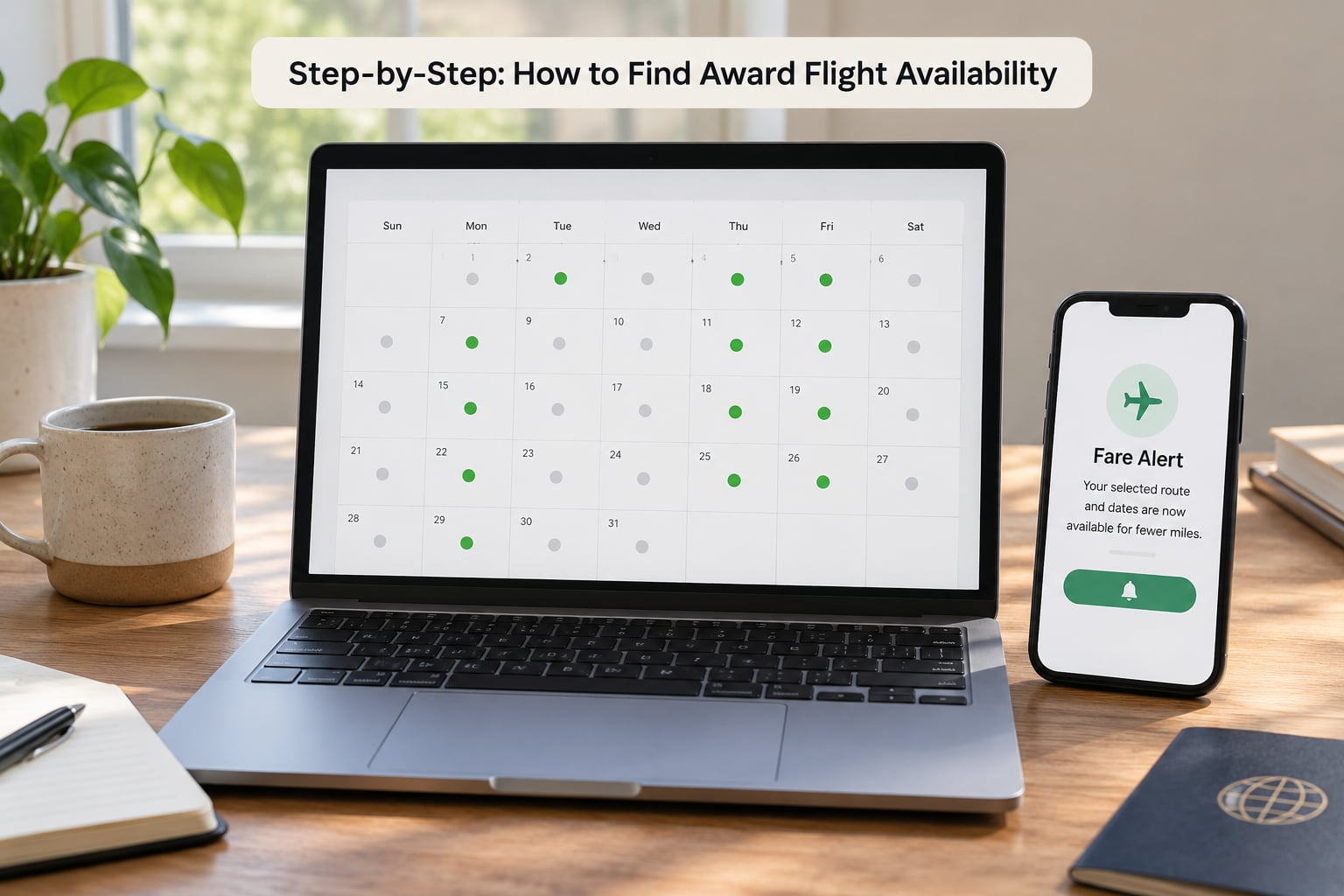
Once you are in the award calendar, use the month grid rather than a single date field. The grid shows which days have space across the whole month in one glance, and it is far faster than testing dates one at a time. Change the origin if your trip is flexible across airports in the same metro area, because availability at one field is not a reliable signal for its neighbour.
If a flight shows a price in points, click into it and read the final page. You are checking the total points, the carrier actually operating the segment, the baggage allowance, and whether the fare class is a saver bucket or a dynamically priced one. Those four details are where most disappointments come from.
Check Partner Airlines and Transfer Options
Airlines search their own metal first. When the metal shows nothing, the space is often sitting with a partner, and a partner itinerary is frequently priced the same or better on points. This is the single biggest win available to a beginner, and most people never touch it.
Work alliance by alliance. oneworld, Star Alliance and SkyTeam each let you pick a primary carrier, and availability priced through that carrier is often easier to find than the same flight booked through the airline you fly on. Book a Brussels Airlines flight on an Aegean or Iberia account, and an Iberia flight on an Aer Lingus or British Airways Avios account, and you have widened the search without changing your plans at all.
For Avios specifically, check British Airways, Iberia, Aer Lingus, Qatar Airways, Cathay Pacific, Singapore Airlines, Japan Airlines, Turkish Airlines and Alaska Airlines, because the currency is shared and the tables differ. For Star Alliance, Lufthansa, Swiss, Austrian, Air Canada and Turkish are the usual places to check a non-US booking.
On transfers, know the clock before you need it. Bank and card transfers commonly take between one and three days; some airline-to-airline transfers are near instant, others take a week or more. If the fare you found has two seats and the transfer takes three days, that is a real risk. Look for a fare with more than a handful of seats whenever your transfer is slow.
Use Flexible-Date and Route Searches
Fixed-date searches hide availability. A tool’s calendar view, sometimes called explore or panorama, loads cached results across a whole region and is the fastest way to see what your points can reach at all. Award flight availability on a route you picked in January can be completely different from what the region view shows in the same week.
Widen in a specific order, because each widening costs you something. First, shift dates by a few days on either side. Next, add the co-terminal airport, so LHR, LGW, STN and LTN all count. Then allow a second connection. Then try a different alliance partner’s program for the same physical flight. Give up on nonstop preference only after the cheaper options are exhausted.
Segment-by-segment searching is the fallback when a tool refuses to price a whole itinerary. Search the outbound on its own, the return on its own, and see whether each half is available as a one-way award. Two one-way awards on the same carrier often cost no more than the round trip, and it is how most “married segment” itineraries are built. Married segments are separate tickets sold as a set, which means you must get to the airport with enough time to collect bags and re-check in, and a schedule change on one half does not move the other half.
Search by destination rather than origin when you have no fixed trip. Ask the tool what a given point balance can reach from your home airport across premium cabins, then choose from that list. It turns an impossible search into a shortlist.
Set Alerts and Monitor Availability
Availability moves in both directions. Seats open when a schedule change, a swap or a cancellation frees an inventory bucket, and they close just as fast once another searcher sees the same thing. An alert is how you catch the opening without watching a screen.
Set three alerts on every serious search: the primary route, the same route with the neighbour airport added, and the same route shifted a week forward. Use email and text if the tool offers both, because email filters have a nasty habit of swallowing exactly the messages you care about.
Know your tool’s polling limits. Most engines check their alerts a handful of times a day rather than continuously, and dynamically priced awards often move within hours, so a tool that alerts you twelve hours late has told you little. Some tools cancel an alert once it fires, which is a poor default for a fare that has only one seat; re-create the alert immediately if you are still interested.
For genuinely hard searches, award calendars beat tools. Some community-built dashboards watch many airline routes and programs continuously and show movement over time. Treat those results as leads, not confirmations.
Verify, Compare, and Book
Never transfer points off a tool result. Open the airline’s site, find the same flight numbers, and confirm the itinerary is still bookable at the price you saw. The community complaint that comes up most often in award-travel forums is exactly this: a tool showed a program it never actually queried, and the number it displayed was an estimate rather than a fare.
Once confirmed, compare on total cost rather than points alone. Add taxes and carrier surcharges, check checked-baggage allowance, and check whether the operating carrier is the one you assumed, since a codeshare can change who handles your checked bag. Then convert the total to a points-per-mile figure to see whether it is worth the transfer.
Move the points, then book, and keep an eye on the transfer clock. If the itinerary is complicated, an open-jaw, a mixed cabin or a partner-operated segment the tool cannot price, call the airline. Have the flight numbers written down, state them first, and ask the agent to pull the reservation. Agents can price things a search engine will not, particularly multi-city and partner redemptions.
Common Mistakes
Searching a single date. One query on one day is the reason most people conclude that points do not work. Use the calendar view and the region view before you accept that.
Trusting one engine. A detailed community guide on the miles forums concludes that almost no single engine returns all bookable results, and recommends combining two for complete coverage. Different tools query different airline systems, so overlap is the only way to see everything.
Treating a tool result as a confirmed seat. Phantom availability is real, and some tools infer a program’s award pricing from a partner’s results rather than searching that program directly. Verify on the airline site every time.
Confusing points with cash fares. A fare class code such as J, W or F on a seat map is not a points price. If a tool will not show you a points figure, it has not shown you a bookable award.
Booking without reading the final itinerary page. Fare rules, baggage and operating carrier are all settled there, and they are not settled anywhere else.
Starting too late. Most airlines load their schedules roughly 330 to 355 days before departure, but award search engines lose coverage the further out you look, so the wide open window at the very start of that period is not when you will find business-class space. Set the alert when the schedule loads and use the first few months for the region search.
Ignoring availability that appears on the far side of the world. A non-US origin can be dramatically cheaper on points for the same trip. Flying from a gateway airport in Europe or Asia to reach a destination you would normally book from the US is a known strategy among points travellers and costs no extra points.
Frequently Asked Questions
How do I check award flight availability across multiple airlines?
Use a third-party award search tool rather than checking airlines one by one. Services such as Seats.aero, SeatSpy, PointsYeah, Roame and AwardTool query several loyalty programs at once, filter by cabin and points price, and show which programs can price each flight. Pick one, learn its search filters, then confirm any promising result on the airline’s own website before you transfer points.
Can I search award seats for flights that are not nonstop?
Yes, and you should widen beyond nonstop early. Most tools let you set a maximum stop count, and connecting itineraries are often priced identically in points while using partner inventory. A useful fallback is to search the outbound and return as two separate one-way awards on the same carrier, which frequently succeeds when a round trip will not price. Remember that two separate tickets mean re-checking bags.
Why does an airline award search show a flight that cannot be booked?
Usually because the seat block shown belongs to a different fare class than the one the tool priced, or because a partner holds the inventory. The screen can also reflect a cached result rather than a live one. Treat every third-party result as a lead: open the airline’s site, look for the same flight numbers, and confirm the itinerary and total points on the final page before moving any points.
How far in advance should I search for award flight availability?
Airlines generally load schedules about 330 to 355 days before departure, so alerts should be running the day the schedule opens. Search engines cover fewer programs the further out you look, so a business-class seat a year ahead may simply not be visible yet. Most successful searches happen in the first few months after the schedule loads, with alerts running continuously for the premium-cabin routes you care about.
Should I use airline websites or third-party award search tools?
Use both, for different jobs. Tools are for discovery: they scan many programs, many dates and whole regions in seconds, which no airline website can do. Airline sites are for truth: they hold the live inventory, the final points price and the fare rules, and they are the only place you can complete a booking. The common approach in award-travel forums is to search the airline’s own site for accuracy and use a free tool as a broad second net.
How can I find award seats when my preferred dates are sold out?
Widen the search in a deliberate order, because each step costs you something: shift dates by a few days, add the co-terminal airport, allow a second connection, then price the same flight through a different alliance partner’s program. If a whole route is empty, switch to the tool’s region or explore view and search by destination instead, which shows what your points can reach from your home airport. An open-jaw built from two one-way awards is often the answer.
Start tonight: write your trip as a single sentence, pick one award search tool and learn its filters, then set three alerts. Keep your airline login open in a private window for verification, and the rest takes about an hour. Updated for October 2026.